Sunday, April 30, 2017

Trimester 3 Progress Report Tasks & Posts

Your blogs should have the following posts.  The dates are not exact and may vary slightly.  

Project reflections should explain the following:  Describe the project (What are we looking at?), Details about building the project(How did you make it?), Your self-evaluation of your project and next steps(How do you feel about it and what's next?)

Periods 2, 5, & 6
3/6     Create Blog in Blogger (10 pts)
3/7     My First Post/ Typing.com Keyboarding Test Scores (15 pts)
3/15   Scratch Post - Researching Programming (10 pts.)
3/24   What's Up (5 pts)
3/28   Animated Name (10 pts), Embedded Game (5 pts), Project Reflection (10 pts)
3/30   My Podcast Project - Create & Embed Padlet on blog (10 pts), Create 3 Podcasts Using Audacity (30 pts), Export and post 3 podcasts on Padlet (15 pts)
3/31   What's Up (5 pts)
4/7     What's Up (5 pts)
4/21   What's Up (5 pts)
4/28    What's Up Podcast posted on Padlet(15 pts)
Current Project - Laptop Case ID 3D Design post will be posted by 5/5.


Period 4
3/1    Typing Test Post (10 pts)
3/17  What's Up (5 pts) Scratch Research post (5pts)
3/24  What's Up (5 pts)
3/31  What's Up (5 pts)
4/7    What's Up (5 pts)
4/21  What's Up (5 pts)
Upcoming projects & posts - Personal Earbud Project Post & Reflection (30 pts, 5 pts, 10 pts), Makey Makey Video Reflection, Road Rally 3D Race Car Post & Reflection (30 pts, 5 pts, 10 pts), End Of Year Project  Presentation & Reflection (30 - 50 pts)

JPL's Cindy Auman Webcast With Rio Vista Game Builders

Wednesday, April 26, 2017

Axiom Printing All Night Long at RVMS

49 hour Print Fails on Hour 43!:(

After a valiant attempt by two students to save the print, the alignment was off and the print could not be saved.  Even on an amazing printer like the Airwolf Axiom, 3D printing needs to have operators that can watch, adjust, and attend to issues as they pop up.  As we learned, there can be problems at any time.

Wednesday, April 5, 2017

Lesson Plans for Thursday & Friday

Hi all,


Here are your plans for today.  Your guest teacher will be Mr. Jablonicky.  Please show respect to your teacher today and tomorrow.  Use your time wisely.  Make sure your Friday's blog post reflects all the work and concerns you have.


Basic Plan all Periods
  1. 10 min - Daily Touch typing on Typing Agent (10 min) - TA or NitroType Games on Fri.
  2. 4 min - Check email & CHECK THE LESSON PLANS.
  3. 4 min - Preview the day’s activities with class -
    1. P2, 5, & 6 - Thursday - Finish and post Podcast on Shared Padlet
      1. Thursday - Finish recording, editing, and narrating your podcast.  Save project before you export as an mp3 or a .wav.  Our files are small so either one will work.  You can view this screencast that I made to help you along.  If you finish early, please create another podcast trying new things.  Check out this video to help you edit more completely.  Look around minute  7:30 to adjust volume!
      2. Friday - After keyboarding games, make a blog post on your blog titled “What’s Up” and explaining and highlighting what you have been doing this week.  Don’t forget to post your podcast in 2 places, 1 - your padlet & 2 - our shared padlet on the class blog.  After that, I would like you to try Little Alchemy for the rest of the period.  Try to combine items and see what they make.  Have a great Spring Break!
VISTA OLYMPICS ARE ON THURSDAY DURING 5TH & 6TH PERIODS.  PLEASE TAKE THE STUDENTS DOWN TO THE FIELD AND FIND A SPOT TO PARK AND WATCH THE FUN.  WHEN DONE, RETURN TO CLASS AND CONTINUE THE PLAN.
SOME STUDENTS WILL BE CALLED OUT DURING 4TH PERIOD.  I HAVE INCLUDED THE MASTER LIST.


    1. P4 Video Game Design
      1. Thursday - After keyboarding, students will move quickly, not like sloths, to their coding teams.  They will continue coding their video games.  Remember to use your resources (Scratch tips, Scratch how to’s, your neighbors (not for socializing!), and maybe your teacher.) to keep moving forward.  
      2. FRIDAY - all student post a “WHAT’S UP” BLOG POST describing what they have been doing all week.  Then move into groups to continue working on their games.  Have a great Spring Break people and thanks for respecting each other and making putting forth an effort everyday!
      3. 35 min - Work on projects - detailed above
    2. Guest teacher - Students may be collaborating which is encouraged.  Or, they maybe just visiting so you will need to move around the classroom and listen into conversations.  THIS IS CRUCIAL FOR GOOD CLASSROOM MANAGEMENT!!!!!
  1. Done with Project - Students can do these activities when complete with project
    1. DIY Jobs - listed on tv, at the end of this lesson plan, on blog
  2. 1 min - Shutting down & logging out - I make all student wait at stations till all headphones, tables, and chairs are neatly arranged.  I excuse one row at a time.   Do not excuse students until workspaces are clean.


Friday P6 student carefully move keyboards and put chairs up on tables.  Thanks folks!


Make it a great day people!  I’ll see you Thursday.
Mr. G


Reminders:
  • Write good, detailed, and readable reflections.  
  • Email me if you have any question.
  • You can work on DIY projects below when you are done with your projects and blog.
  • Collaboration is helpful, socializing is distracting - Know why you are out of your seat.
DIY -
  • Complete/Extend previous project
  • Blogger - Modify your blogs themes, colors, and layout
  • Tinkercad - modify an old idea, race car, personal project
  • Code - Code.org - Scratch - Tynker - Code Combat - Khan Academy
  • GameStar Mechanic - Game Maker Thinking!


I wish you all a great and restful Spring Break!  See you next Thursday!

Mr. Garcia

Monday, April 3, 2017

Award Winning Drone Video - MMP3 Project

Check out MMP3 Projects award winning video.

Please comment below on your feeling about the stunts, style, editing, and music.

Check out the video

Thursday, March 30, 2017

Lesson Plans for Thursday,

Hi all,


Here are your plans for today.  Please show respect to your teacher today. I will see you tomorrow.  Use your time wisely.  Make sure your blog reflects all the work you have done so far.


Basic Plan all Periods
  1. 10 min - Daily Touch typing on Typing Agent (10 min) - TA or NitroType Games on Fri.
  2. 4 min - Check email & CHECK THE LESSON PLANS.
  3. 4 min - Preview the day’s activities with class -
    1. P5, & 6 - Creating a Padlet for their Podcast - If time, create 45 second Podcast  
      1. Specific instructions are also on class blog.  Follow these directions carefully.  Use your best judgement to solve problems and think before you start asking for help:


Creating a Padlet:


You will watch the videos below in order to create a Padlet for your Podcasts.  You can pause and rewind the videos if needed.  Here are the tasks to complete today: Read carfully!!!

  1. Watch video #1 & #2 to create a padlet.  Then you will post your podcast on that padlet.  Finally you will EMBED you padlet into your blog.  


PLEASE READ THE DIRECTIONS NEXT TO EACH VIDEO!!!!!!!!!!!!!!!!!!!!!!!!!!!!!!!!!!

USING A SPLIT SCREEN CAN BE HELPFUL!!!!!!


Creating a Padlet Video #1  -  STOP VIDEO AT 2:50 MINUTE AND START THE SECOND VIDEO BELOW - WHEN DONE WITH #2, COME BACK TO THIS PODCAST TO FINISH YOUR BLOG POST
This video will guide you through how to start a podcast and how to put it on your blog.   


Creating a Padlet Video #2 - START THIS PODCAST WHEN YOU REACH 2:50 MINUTES ON THE CAST ABOVE.  THIS SCREENCAST WILL GUIDE YOU THROUGH THE OPTIONS FOR YOUR NEW PADLET
This video will guide you through some options that need to be selected.  When done with this screen, go back to #1 screencast.


  1. If you have time leftover, create today’s podcast.  Think of a topic, any topic and speak for at least 45 seconds, longer if you have something good to say.  PLEASE CONTROL THE NOISE AS OTHERS MAY BE RECORDING.  I KNOW YOU ARE HAVING FUN IN SCHOOL BUT KEEP THE NOISE AND EXCITEMENT UNDER A LEVEL 3
  2. Post that podcast on your padlet.
  3. Go and listen to your colleagues podcast!
  4. 35 min - Work on projects - detailed above
    1. Guest teacher - Students may be collaborating which is encouraged.  Or, they maybe just visiting so you will need to move around the classroom and listen into conversations.  THIS IS CRUCIAL FOR GOOD CLASSROOM MANAGEMENT!!!!!
  1. Done with Project - Students can do these activities when complete with project
    1. DIY Jobs - listed on tv, at the end of this lesson plan, on blog
  2. 1 min - Shutting down & logging out - I make all student wait at stations till all headphones, tables, and chairs are neatly arranged.  I excuse one row at a time.   Do not excuse students until workspaces are clean.


Please stand outside of classroom to monitor students in the passageway.  Keep them off the rail!


Make it a great day people!  I’ll see you tomorrow.
Mr. G


Reminders:
  • Write good, detailed, and readable reflections.  
  • Email me if you have any question.
  • You can work on DIY projects below when you are done with your projects and blog.
  • Collaboration is helpful, socializing is distracting - Know why you are out of your seat.
DIY -
  • Complete/Extend previous project
  • Blogger - Modify your blogs themes, colors, and layout
  • Tinkercad - modify an old idea, race car, personal project
  • Code - Code.org - Scratch - Tynker - Code Combat - Khan Academy
  • GameStar Mechanic - Game Maker Thinking!


I wish you all a good day.  See you tomorrow!

Mr. Garcia

My Podcast

Made with Padlet

Friday, March 24, 2017

What's up?

This week has been a flurry of school related tasks.  But like Dr P. says, "It's all Fun Stuff!"  And he is right because this is a great time to be a teacher in Rio!
SKOOLCADE 2017 Preparations - County Wide video game design challenge
CAASPP Prep -
S2H Spring collection planning
Next Year's Rollout planning
Debriefing from an amazing CUE Conference!  Thanks to all CUE staff for an amazing event including Jo Boaler and George Couros
RC Club practicing flying certifications
Prepping for STEAM Colloquium
And teaching some amazing student here at Rio Vista!

What a week, It's great time to be student facilitator of learning!


Sunday, March 19, 2017

Friday, March 17, 2017

Percy Jackson Storyboard


Made with Storyboard That

My first attempt at a graphic novel.  Want to try, click storyboard that.

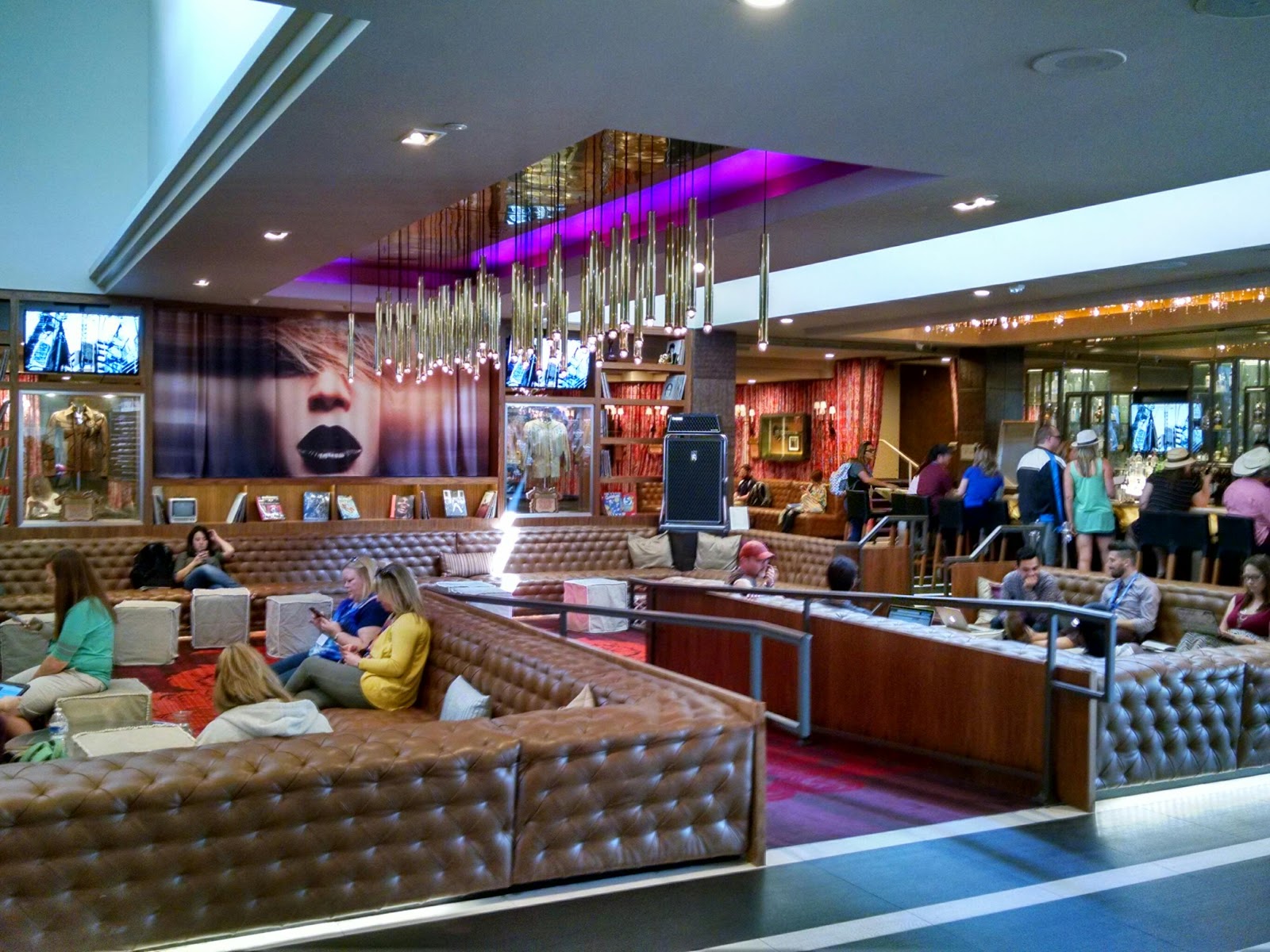
Sessions at the Hard Rock!

The Hard Rock Hotel hosted powerful sessions where teachers learn new skills.  Plus IT'S SO COOL!

Wednesday, March 15, 2017

Scratch For me and You

I'm playing scratch

I'm Scratchy

We are starting to learn how to code on the computer.  I just found out computers are dumb unless we program them to do something.  I have the power to make computers bend to my will, ha ha, ha!

Itch the Scratch!

Today I logged into Scratch for the first as my campus deals with the Noro Virus outbreak that is decimating the minds of my students and making them crazier than normal!  I played this cool drawing game by CrunchyEnchantment, sweet!


Tuesday, March 14, 2017

Lesson Plans for All CS Classes 3/16 & 17/2017

Hi all,


Here are your plans for today.  Your guest teacher will be Mrs. Woolgar.  Please show respect to your teacher today and tomorrow.  Use your time wisely.  Make sure you stay focused on what you need to accomplish and you treat each other with respect. P4, please post a "What's Up" blog post on Friday. Your videos should be ready to post by next week. Keep an eye on the Twitter feed or blog so I can share pictures with you. See you on Monday!
Mr. G


Basic Plan all Periods
  1. 10 min - Daily Touch typing on Typing Agent (10 min) - TA or NitroType Games on Fri.
  2. 4 min - Check email & CHECK THE LESSON PLANS.
  3. 4 min - Preview the day’s activities with class -
    1. P2, 5, & 6 - 2 Projects
      1. 1) Our Quotes Slideshow - student are decorating a slide that contains their quote.  Animations and transition are a must as are large images that support their quote, no dancing dogs.  Images should be large.
      2. 2) Scratch Game investigation - students are to go on Scratch and play games.  Pay attention to how you play the game and what makes it fun or not fun.  Read directions and play different types of games.  On Monday, you will start making your first code animation!

    1. P4 - 3 Projects - Students should be doing their own work most of the period  (FRIDAY - “WHAT’S UP” BLOG POST )
      1. Makey Makey Reflection - Some students are finishing editing film they took earlier in the week.  They may pair up to edit film.  
      2. Earbud or Race Car Project - Students are building one of two items in tinkercad.  Students may be building their earbud holder or their race car.  They may collaborate but they should be doing their own work.
      3. Scratch - Video Game - Students have begun to decide what kind of game they want to create.  They may look around and play some games to help them decide what they want to make.
      4. 35 min - Work on projects - detailed above
    2. Guest teacher - Students may be collaborating which is encouraged.  Or, they maybe just visiting so you will need to move around the classroom and listen into conversations.  THIS IS CRUCIAL FOR GOOD CLASSROOM MANAGEMENT!!!!!
  1. Done with Project - Students can do these activities when complete with project
    1. DIY Jobs - listed at the end of this lesson plan
  2. 1 min - Shutting down & logging out - I make all student wait at stations till all headphones, tables, and chairs are neatly arranged.  I excuse one row at a time.   Do not excuse students until workspaces are clean.


Reminders:
  • Write good, detailed, and readable reflections.  
  • Email me if you have any question.
  • You can work on DIY projects below when you are done with your projects and blog.
  • Collaboration is helpful, socializing is distracting - Know why you are out of your seat.
DIY -
  • Complete/Extend previous project
  • Blogger - Modify your blogs themes, colors, and layout
  • Tinkercad - modify an old idea, race car, personal project
  • Code - Code.org - Scratch - Tynker - Code Combat - Khan Academy
  • GameStar Mechanic - Game Maker Thinking!


I wish you all a good couple of days.  See you Monday!

Mr. Garcia

Monday, March 13, 2017

Grades are In!

Hey all, 
Your grades are in.  I'm giving those of you who want to raise your grade till Tuesday at the end of school to update missing assignments. If you want credit either COME BY CLASS TO LET ME KNOW YOU ADDED SOMETHING TO YOUR BLOG OR EMAIL ME THAT YOU ADDED SOMETHING.

Most of you did a great job on your reflections, good work!

Lot's of people missing work, so if want to get closer to that A, turn in your work!

Thanks for all your hard work, it has been an honor to be your facilitator this trimester!  

Mr. Garcia