Hello everyone,
Happy first week of October. Lots's to this week so let's get started
Period 2 & 3
Click here for the Project Laptop Disassemble/Reassemble Scoring Rubric Guide
Monday - Review presentation setting & logistics. Finish Slideshow & practice
Tuesday - Begin presentations - 2 per day
Wednesday - Presentations
Thursday - Presentations
Friday - Presentations
Extra Stuff to do if you are done:
- Coding is the way a computer knows how to do something. Play the coding game linked below. Look to learn how to give the bot instructions to reach it's goal. This game can also be played in VR or AR.

OR
- Learning AI - Artificial Intelligence is being used every day in many of the products we use like search engines, streaming music, & map location software like Google Maps or Waze.
- Learn how to teach AI instead of programming. Try the program below & have fun!

Robotics - try making this Mars Rover Simulation complete its task. This is very similar to what you will be programming.

________________________________________________________________________
Period 5
Monday - Let's take a break from testing and try some dancing, AKA Dance Party!

Tuesday - We'll continue finishing your testing until you are done. When done, work on your Dance Party!
Wednesday - Testing in Elit
Thursday - Testing in Elit
Friday - Dance Party Dance Off!

_________________________________________________________________________
Period 6 & 7
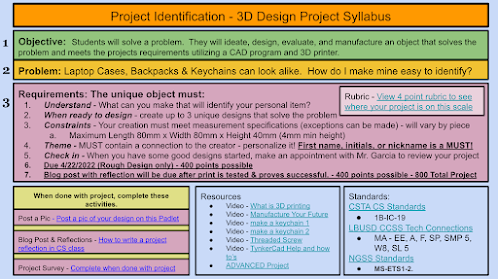
Project Identification
We will be wrapping up our project this week. Get your designs finished and checked by Mr. G. You can help by checking on the print on the bed to see how they are becoming real. Just don't touch the print bed.
When your print is checked off by Mr. G, here are a couple of things you can do.
Everyone can do this: Post a screenshot of your design on the Project ID Padlet. Click on the image below to get there.

What is 3D Printing? Click on the image below to watch the following videos & read the interesting articles

What is 3D Printing


_________________________________________________________________________
Space Out Friday
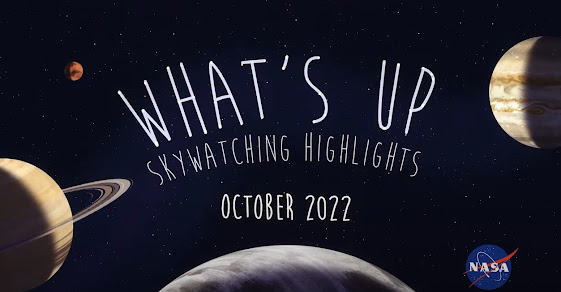
Insight Hears Meteors Hit the Surface of Mars

NASA Solar System Exploration

The Parker Solar Probe - The Fastest & Hottest Satellite in the Universe!

Shaded Earth Moon Spiral