Thursday, March 15, 2018

Lesson Plans for 3/15 & 16

Hi all,

Here are your plans for Monday.  Your guest teacher will be Mr. Townsley.  Please
show respect to your teacher and each other today.  Use your time wisely. Make
sure your blog reflects all the work you have done so far.

Basic Plan all Periods
  1. 10 min - Daily Touch typing on Typing Agent (10 min) - TA or NitroType Games on Fri.
  2. 4 min - Check email OR CHECK THE LESSON PLANS on Class Blog(SAME). Students now have Personal Time in which they can check grades & other.
  3. 4 min - Preview the day’s activities with class - Most students are working on Blogger & Tinkercad\
  4. Friday - What’s Up Post - Create a post on any topic you want.  How the week has gone, your weekend, movies, music, whatever you want that is appropriate for your blog.
  5. Period 2, 5, & 6 - Tinkercad
    1. Continue working on the LEARN tutorials in Tinkercad if you have not finished them.
    2. Once complete with tutorials, go to the Tinkercad box to get to your project desktop and CREATE PROJECT.
    3. Remember that you are creating an Identification Tag that is UNIQUE to YOU!  No boxes!!!!
    4. Watch the videos on the syllabus if you need some ideas.  
    5. Stay in your seats unless you can help someone who needs help.  Be thoughtful of others who are working. Keep your voices at a level 2.
    1. Everyone has something to do.  I expect you to do as much as you can.  The following is what I am hoping to see when we meet on Monday.  You also have your own ideas. Just have some kind of evidence that you are moving towards your goals.  What do you want to call your team?
      1. Road Rally -
        1. Advertisement - check out what we have already created.  I sent a link to my folder. Update or make new, cooler ads, design trophies to be 3D printed
      2. Dub Presentations - How to videos & more - What topics? Start recording using either a camera or screencast app like Loom (in Google Play).  Commercial to advertise your service. You know where cameras are at. Be appropriate please:)
      3. Skoolcade - Keychain in Tynkercad,
      4. Door Stop - advertise, finalize some designs, survey for 8th grade teachers (send to me before sending out to teachers),
      5. How to Videos - How to Video & more - What topics? Start recording using either a camera or screencast app like Loom (in Google Play).  Commercial to advertise your service. You know where cameras are at. Be appropriate please:)
      6. OGers  - get some images of examples that would work for our room where we need table to build or meet, storage in variety of sizes, basic & power tools from Home Depot, estimation of price.  I started this slide show that you can add too.
      7. SALT - FX - What do you needs, what can you do?
      8. Library Tech Connect - Document what you are doing and names of people helping you so you can give credit in the movies
      9. Tech Support - No one joined this group but there is plenty of work if you are interested.
You can also work on your video game or 3D race car.  Well start printing after spring break.
Please respect those that need to finish their work and stay quiet and in your seat unless necessary.  

    1. 35 min - Work on projects - detailed above
    2. Guest teacher - Students may be collaborating which is encouraged.  Or, they may be just visiting so you will need to move around the classroom and listen into conversations.  THIS IS CRUCIAL FOR GOOD CLASSROOM MANAGEMENT!!!!!
  1. Done with Project - Students can do these activities when complete with project and posting on their blog
    1. DIY ACTIVITIES
Blogger
Modify your blogs themes, colors, and layout
Tinkercad
Create a new project or work on an old one
Finish Preparing 3D printed ID
Use tools carefully and clean up work table
Scavenger Hunt
Keep working on the Scavenger Hunt.  Link is in the class blog
Read & AR Test
You can read and test in AR
Code.org
Work on another new task or finish one from last year
Scratch
Go play some games on Scratch!  When you find a game you like, look at the code used to create it

  1. 1 min - Shutting down & logging out - I make all student wait at stations till all headphones, tables, and chairs are neatly arranged.  I excuse one row at a time. Do not excuse students until workspaces are clean.
    1. P6 needs to put chairs up on FRIDAY!
Reminders:
  • Write good, detailed, and readable reflections.  
  • Email me if you have any question.
  • Collaboration is helpful, socializing is distracting - Know why you are out of your seat and it cannot be to socialize.

I wish you all a good day.  See you on Monday!

Mr. Garcia

Student plans - They have a copy of the plans in their email

Wednesday, March 7, 2018

Lesson Plans for 3/8/1018

Hi all,

Here are your plans for Monday.  Your guest teacher will be Mr. Townsley.  Please
 show respect to your teacher and each other today.  Use your time wisely. Make
 sure your blog reflects all the work you have done so far.

Basic Plan all Periods
  • 10 min - Daily Touch typing on Typing Agent (10 min) - TA or NitroType Games on Fri.
  • 4 min - Check email OR CHECK THE LESSON PLANS on Class Blog(SAME). Students now have Personal Time in which they can check grades & other.
  • 4 min - Preview the day’s activities with class - Most students are working on Blogger & Tinkercad
Period 2, 5, & 6 - Blogging & Tinkercad
  1. Open your Blog and select edit on your “Keyboard” post.  Now you can add the movie.
  2. In your “Keyboard” post under yesterday’s post, type in the sentence “Fastest Typist”
  3. Copy this video link - https://www.youtube.com/watch?v=m9EXEpjSDEw
  4. Highlight “Fastest Typist”
  5. Push the keys Control & K  - This will open a link window with Fastest typist in the top box.  Paste the above link into the bottom box and select ok.
  6. Publish your post
  7. Go to view blog and watch the video.  We’ll talk about it tomorrow.
  8. If you need help, watch this screencast
  9. After watching the link video, go to sign in on Tinkercad and continue working on the Learn section tutorial.  If you finish early, click on the Tinkercad blocks in the upper right and then Create New Design button.  Make something!
  10. Stay in your seats and be thoughtful of others who are working.  Keep your voices at a level 2.
Period 4 - Community Service Project  
  1. As explained yesterday, your goals for today are:
    1.  In you CSP Idea doc - Write down as many ideas that you feel good about working on or write down the one you already know you want to create.  You can also add resources to support your ideas.
    2. Create a Google form so you can inform the rest of the class what  you are planning and recruit help to make your project come to life.   Play around with the format in Forms so you get the response you want.
      1. Be clear when you describe your one idea or several of your ideas.
      2. Share it with the class
      3. Check out the example at the bottom of the page
    3. Add an entry in your doc about what you did today and what you want to get done on Friday
    4. If you have time, start a slideshow using Design thinking strategies as your guide for your presentation.


Please respect those that need to finish their work and stay quiet and in your seat unless necessary.

  1. 35 min - Work on projects - detailed above
  2. Guest teacher - Students may be collaborating which is encouraged.  Or, they may be just visiting so you will need to move around the classroom and listen into conversations.  THIS IS CRUCIAL FOR GOOD CLASSROOM MANAGEMENT!!!!!
Done with Project - Students can do these activities when complete with project and posting on their blog
  1. DIY ACTIVITIES
Blogger
Modify your blogs themes, colors, and layout
Tinkercad
Create a new project or work on an old one
Finish Preparing 3D printed ID
Use tools carefully and clean up work table
Scavenger Hunt
Keep working on the Scavenger Hunt.  Link is in the class blog
Read & AR Test
You can read and test in AR
Code.org
Work on another new task or finish one from last year
Scratch
Go play some games on Scratch!  When you find a game you like, look at the code used to create it

1 min - Shutting down & logging out - I make all student wait at stations till all headphones, tables, and chairs are neatly arranged.  I excuse one row at a time. Do not excuse students until workspaces are clean.
  1. P6 needs to put chairs up on FRIDAY!
Reminders:
Write good, detailed, and readable reflections.  
Email me if you have any question.
Collaboration is helpful, socializing is distracting - Know why you are out of your seat and it cannot be to socialize.

I wish you all a good day.  See you tomorrow!

Mr. Garcia


  1. Student plans - They have a copy of the plans in their email

Keyboarding Why? SAMPLE

This is the way to touch type!


Monday, March 5, 2018

Welcome to Rio Vista's Computer Science Class!

Welcome,
I'm Mr. Garcia.  Please fill out this survey so I can know you better.  I'll share my answer to these question with you tomorrow.  Thanks for being here!  Ready to get busy?


Monday, February 26, 2018

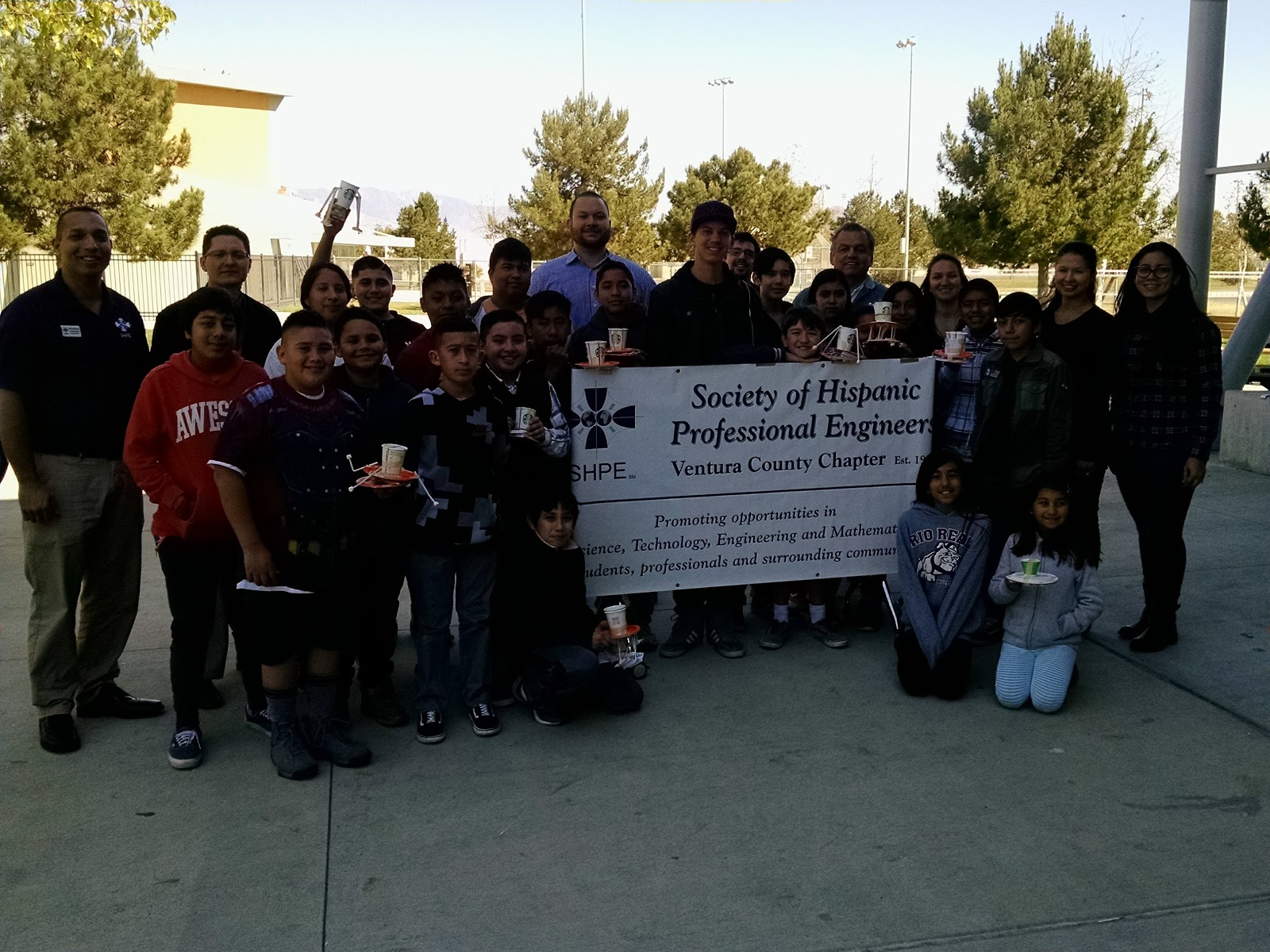
#Engineering Day

We had a great day building, testing, breaking, and modifying!  If you want your 30 extra credit points, create a post on your blog titled Engineering Day.  Include an image and a reflection of the day and what you did.  Thanks for being there!


Friday, February 23, 2018

Lesson Plans for Monday

Hi all,

Here are your plans for Monday.  Your guest teacher will be Mr. Townsley.  Please show respect to your teacher and each other today.  Use your time wisely.  Make sure your blog reflects all the work you have done so far.

Basic Plan all Periods
  1. 10 min - Daily Touch typing on Typing Agent (10 min) - TA or NitroType Games on Fri.
  2. 4 min - Check email OR CHECK THE LESSON PLANS on Class Blog(SAME).
  3. 4 min - Preview the day’s activities with class - Most students are working on a coding activity in Scratch.  
    1. Period 2, 5, & 6 - Animate your Name in Scratch
      1. Complete your Scratch Name Animation
      2. Blog Post - Use the Embed code to embed this animation into a blog post.  Title the post - “Scratch Name Animation”  Make sure to write a reflection explaining, what is this?, how you made it?, what do you think about it?
      3. When done with animation and post, Please do the following:
        1. Go and look at some of your classmates class blogs and comment on a few (3) of their posts.  Use only positive comments.
        2. I want to see what you wrote so Screenshot one of the comments you made and post the screenshot in a new blog post title “Comments”
        3. If you have more time, you can find a new great game on Scratch and play.
      4. Stay in your seats and be thoughtful of others who are working.  Keep your voices at a level 2.

    1. Students will be working on finishing their specific skill task or catching up on unfinished work.  The grading window for makeup work closes on 2/28.  Extra work will not be accepted after that.  While many have finished, some have not.  They know who has work that needs to be completed including Podcasts and blogpost.  
Please respect those that need to finish their work and stay quiet and in your seat unless necessary.  
  1. If you have completed your 2 skill task, post & reflection, and have no makeup work to complete, Please do the following:
    1. Go and look at some of your classmates class blogs and comment on a few (3) of their posts.  Use only positive comments.
    2. I want to see what you wrote so Screenshot one of the comments you made and post the screenshot in a new blog post title “Comments”
    3. If you have more time, you can find a new great game on Scratch and play.

Tuesday, February 20, 2018

Lesson Plans for Wednesday

Hi all,


Here are your plans for Wednesday.  Your guest teacher will be Mr. Townsely.  Please show respect
to your teacher and each other today.  Use your time wisely.  Make sure your blog reflects all the
work you have done so far.


Basic Plan all Periods
  1. 10 min - Daily Touch typing on Typing Agent (10 min) - TA or NitroType Games on Fri.
  2. 4 min - Check email OR CHECK THE LESSON PLANS on Class Blog(SAME).
  3. 4 min - Preview the day’s activities with class - Most students are working on a coding activity in Scratch.  
    1. Period 2, 5, & 6 - Animate your Name in Scratch
      1. Log into Scratch
      2. Go to Create
      3. To to Tips
      4. Select Animate your Name
      5. Select Click Here to Start at the bottom
      6. Follow the guided instruction and animate your whole first name only.  Be creative and have
        some fun doing interesting animations.  The guide will show you how to change color, move, and add sound to your letter sprites.
      7. Once all letters have been animated with color, movement, & sound, you will share your project.  This puts the project inside the Scratch community
      8. Blog Post - Use the Embed code to embed this animation into a blog post.  Make sure to write
        a reflection explaining, what is this?, how you made it?, what do you think about it?
      1. Students will be working on finishing their specific skill task.  There are 4 task.  Film Making/Editing, Computer Teardown, Sound Crew - PA System, Website Developers.  The above link has their instructions.
        1. Film crew -
          1. most have recorded a short 10 - 20 sec clip.  Take that clip and edit it in Shotcut editing software.  Produce an edited video that includes Title, edited cuts and transition in the film, music, end credits.  
          2. Upload to your YouTube channel.
          3. Post a reflection and video on blog
        2. Tech Champs - Computer teardown
          1. Grab a computer and using a post-it note, put your name so you can use the same computer for the week.
          2. Turn the computer on to verify that it works
          3. On the group doc, find or watch one of the teardown videos.  Pay close attention to what they are taking apart.  You will have less parts to teardown.
          4. To be ready, you’ll need a clear space, a phillips screwdriver, a bag with your group name to collect screw, a camera to take pictures of you disassembling the computer.
          5. Carefully take apart laptop using the sequence in the video.
          6. Once you take apart the components listed in the group doc, take a picture of the components
          7. Start to put it all back together.
          8. Turn on the computer to make sure it still works.
          9. Upload your photos to Google Docs and label the different parts.
          10. Upload these images to a blog post and write a reflection on your teardown/build up experience.
        3. Sound Crew
          1. 3 jobs - Refer to your group doc
            1. Learn the Peavy PA system in class - & learn how to wind a cable!
            2. Make a special effect sound.
            3. Take pictures of what you did
            4. Post pictures and reflect on what you did
    2. Groups can be no bigger than 2 per group
    3. Ask colleagues for help but first make sure you try different ways of solving the problem
    4. 35 min - Work on projects - detailed above
    5. Guest teacher - Students may be collaborating which is encouraged.  Or, they may be just visiting so you will need to move around the classroom and listen into conversations.  THIS IS CRUCIAL FOR GOOD CLASSROOM MANAGEMENT!!!!!
  4. Done with Project - Students can do these activities when complete with project and posting on their blog
    1. DIY ACTIVITIES
Blogger
Modify your blogs themes, colors, and layout
Tinkercad
Create a new project or work on an old one
Finish Preparing 3D printed ID
Use tools carefully and clean up work table
Scavenger Hunt
Keep working on the Scavenger Hunt.  Link is in the class blog
Read & AR Test
You can read and test in AR
Code.org
Work on another new task or finish one from last year
Scratch
Go play some games on Scratch!  When you find a game you like, look at the code used to create it


  1. 1 min - Shutting down & logging out - I make all student wait at stations till all headphones, tables, and chairs are neatly arranged.  I excuse one row at a time.   Do not excuse students until workspaces are clean.
    1. P6 needs to put chairs up on FRIDAY!
Reminders:
  • Write good, detailed, and readable reflections.  
  • Email me if you have any question.
  • Collaboration is helpful, socializing is distracting - Know why you are out of your seat and it cannot be to socialize.


I wish you all a good day.  See you tomorrow!


Mr. Garcia


Student plans - They have a copy of the plans in their email